
Language & Localization — Translating the Order Editing Experience
Purpose
Answer a high-intent merchant question:
“How do I change the language, text, and wording customers see during order editing?”
This article covers localization, translations, and wording control across the Account Editor widget, emails, cancellation reasons, and upsell flows.
Why This Matters
Language issues are one of the top causes of merchant confusion and customer drop-off. Without proper localization:
- Customers see mixed or incorrect languages
- CTA text feels generic or unclear
- Cancellation reasons don’t match store tone
- International shoppers lose trust
Correct localization:
- Improves conversion and retention
- Reduces support tickets (“Can I change this text?”)
- Makes Account Editor feel native to the store
How Localization Works in Account Editor
Account Editor uses key-based localization, not hardcoded text. This means:
- Every visible string has a translation key
- You can safely edit text without breaking logic
- Multi-language stores can serve the correct language automatically
Localization applies to:
- Order editing widget
- Upsells
- Cancellation retention
- Error messages
- Button labels
- Customer-facing prompts
Localization Settings Overview
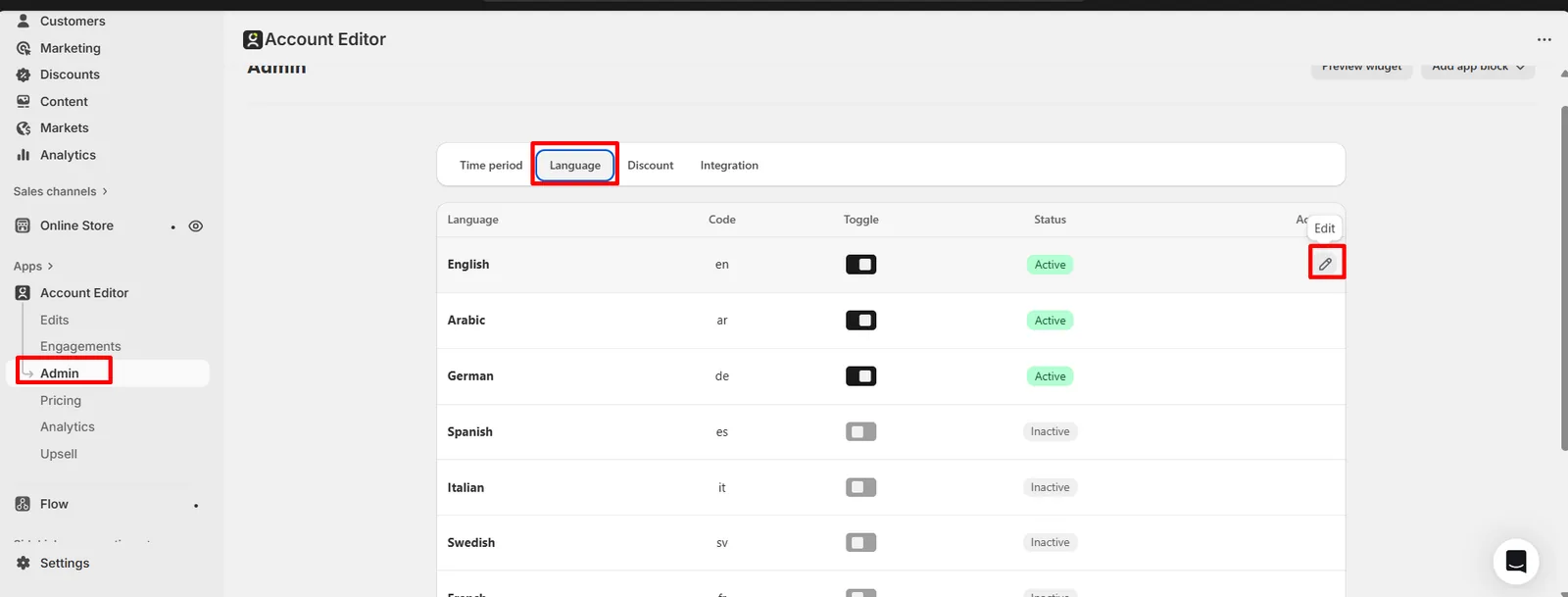
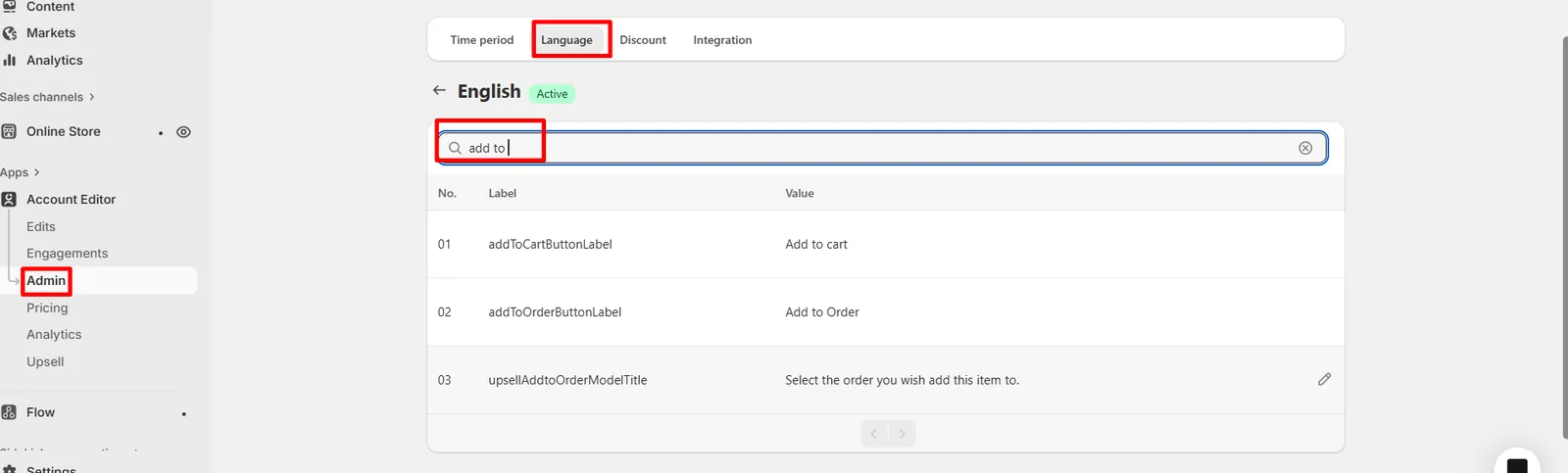
Path: Account Editor Admin → Language & Localization From here, you can:
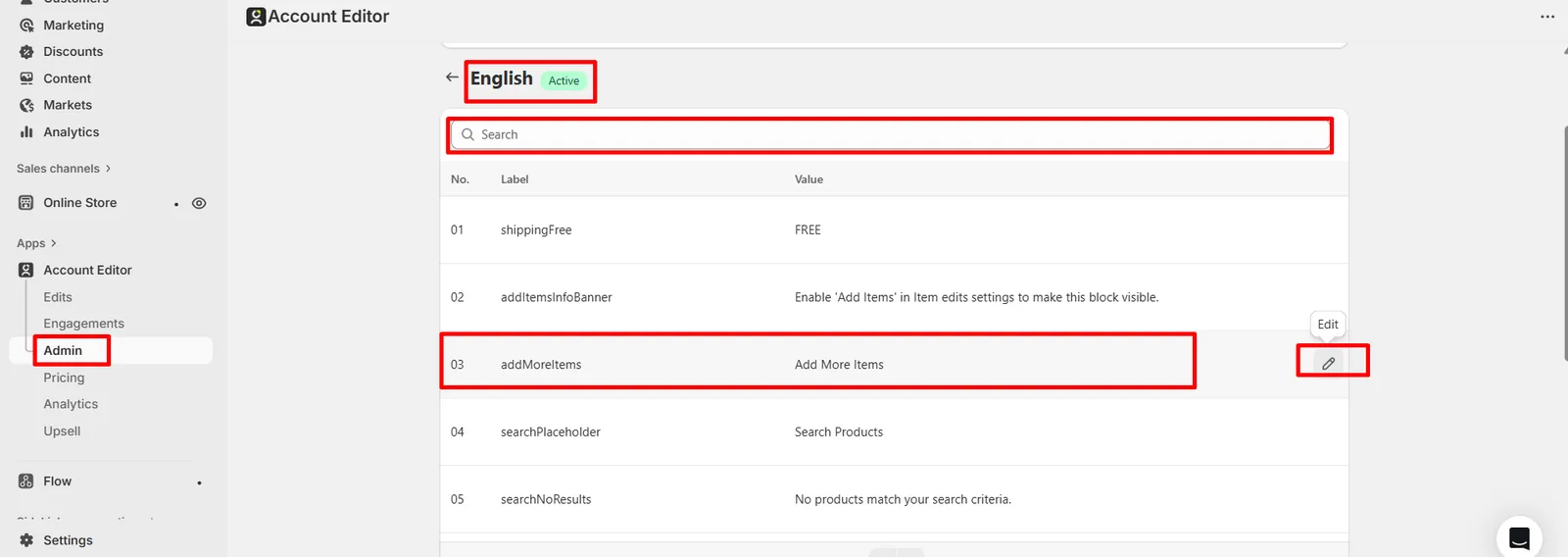
- Search and edit text keys
- Customize wording per language
- Match your store’s tone (friendly, premium, B2B)
- Translate cancellation reasons and CTAs
Editing Language Strings (Key-Based System)
How It Works
Each piece of customer-facing text is mapped to a localization key. Example:
btn_confirm_editcr_reason_changed_mindupsell_accept_button
You update the value, not the key.
Step-by-Step: Editing Text
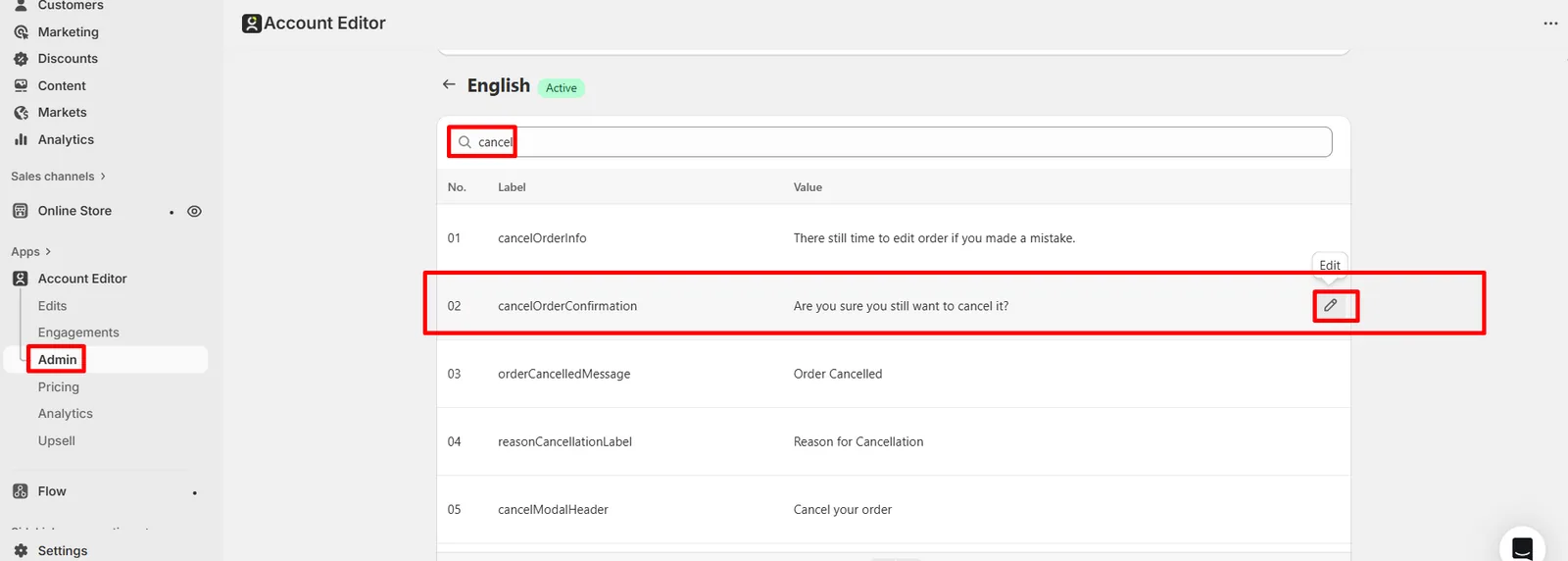
- Open Language & Localization
- Use the search bar to find relevant keys
(e.g., “cancel”, “button”, “address”)
- Update the text value
- Save changes
- Refresh storefront preview
Best Practices
- Keep text short and clear
- Avoid emojis or excessive punctuation
- Match brand tone across all surfaces
- Don’t remove variables (e.g.
{{countdown_timer}})
Multi-Language Stores (Shopify Markets)
Account Editor automatically detects:
- Customer language
- Storefront language
- Shopify Markets configuration
If multiple languages are enabled:
- The correct language version is shown automatically
- No manual switching is required per order
Multiple language values for the same localization key
Important: If a translation is missing, Account Editor falls back to the default language.
Cancellation Reasons Localization
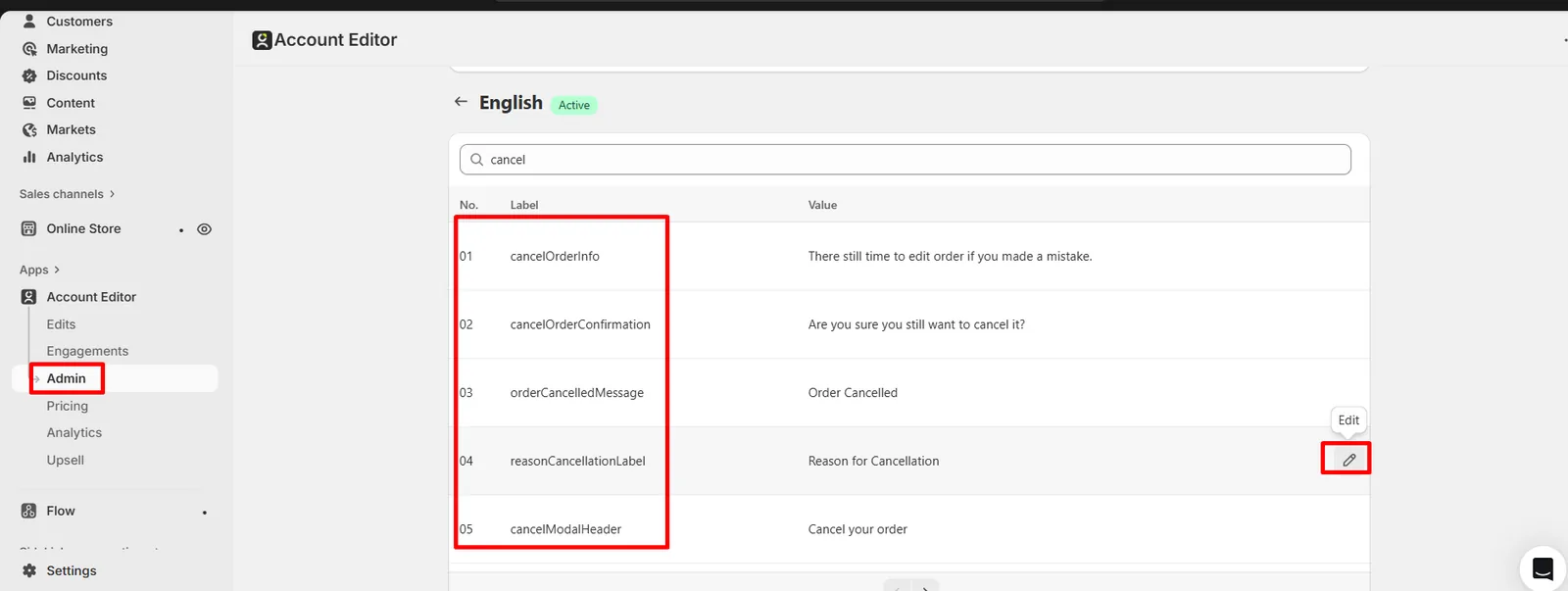
Cancellation reasons are fully translatable.
Where to Edit
Search for keys tagged with: cr These control:
- Reason labels
- Confirmation prompts
- Retention flow messaging
Example
Default:
“Changed my mind”
Localized:
“Je n’ai plus besoin de cet article”
Upsells, Buttons & CTA Localization
Buttons and CTAs are often the highest-impact text.
You can localize:
- Upsell accept buttons
- Decline text
- Confirmation messages
Example:
- EN: “Add to my order”
- FR: “Ajouter à ma commande”
- DE: “Zur Bestellung hinzufügen”
Real Merchant Scenarios
Scenario A — “Widget shows English on French store”
Cause: French translation keys not filled. Fix: Add French values or enable fallback intentionally.
Scenario B — “Cancellation reasons don’t match brand tone”
Cause: Default generic text used. Fix: Rewrite reason values to match store voice.
Scenario C — “Upsell button feels too aggressive”
Cause: Direct translation from English. Fix: Localize intent, not literal wording.
FAQs
Can I fully rewrite all customer-facing text?
Yes. All visible strings are editable.
Will this affect logic or tracking?
No. Only text values change — logic stays intact.
Do I need a translation app?
No. Account Editor handles localization internally.
What happens if I delete a value?
The system falls back to the default language.
Common Issues & Fixes
| Issue | Cause | Fix |
|---|---|---|
| Mixed languages | Missing translations | Fill values per language |
| Text not updating | Cache | Refresh storefront |
| Broken message | Variable removed | Restore placeholder |
| Wrong tone | Literal translation | Rewrite naturally |
Related Guides
Key Takeaway
Localization is not optional for modern Shopify stores. Proper Language & Localization:
- Improves trust
- Boosts conversion
- Reduces confusion
- Makes Account Editor feel native