
Shipping Editing & Recalculation Logic
Allow customers to update shipping methods, adjust delivery options, and ensure shipping fees stay accurate when orders change — without manual intervention.
Why This Matters
Shipping-related issues are one of the top reasons customers contact support after checkout.
Common problems include:
- Choosing the wrong shipping method
- Wanting faster delivery
- Shipping price changing after an edit
- Confusion around split shipping
Shipping Editing ensures customers can make these changes themselves, while Shopify recalculates shipping and taxes correctly based on your store rules.
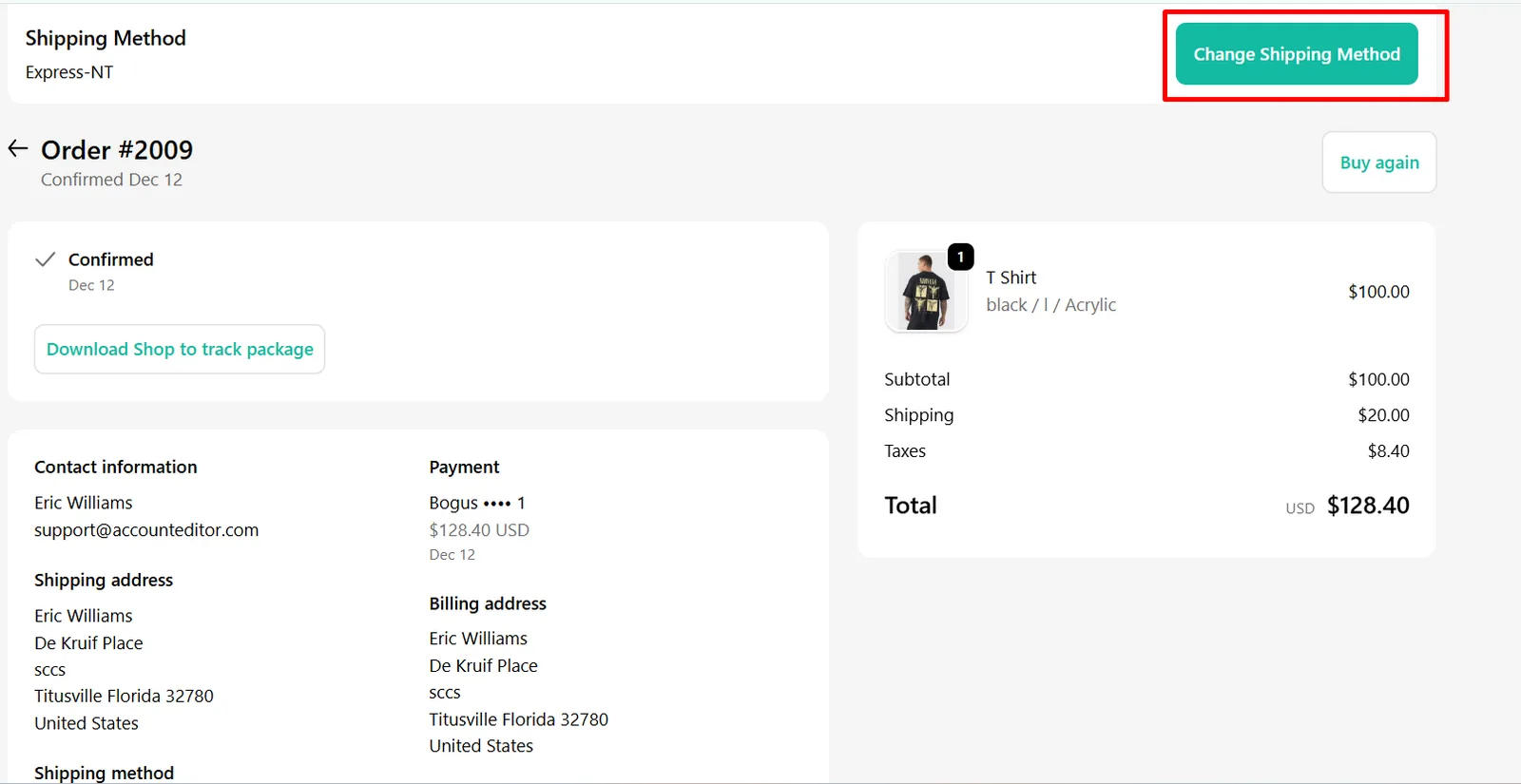
1. Allow Customers to Change Shipping Method
When enabled, customers can update the selected shipping method after checkout.
What customers can do
- Upgrade to faster shipping
- Switch between available shipping options
- Select different methods when split shipping is enabled
2. Enable Shipping Recalculation
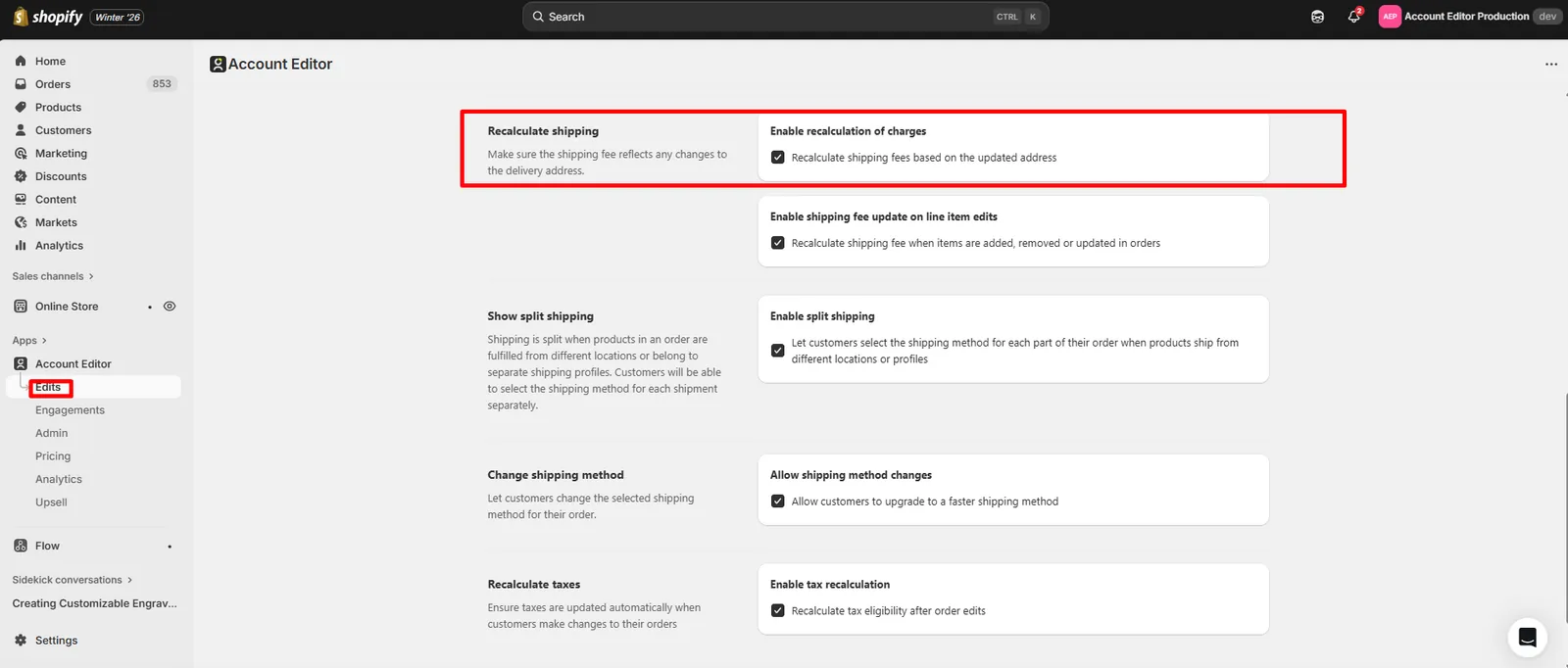
Enable recalculation of charges
When shipping recalculation is enabled:
- Shopify recalculates shipping fees based on the updated address or shipping method
- Carrier rates, zone rules, and shipping profiles are re-applied
- Free shipping thresholds may activate or be removed
Account Editor does not override shipping prices — it always uses Shopify’s calculated values.
3. Recalculate Shipping on Line Item Edits
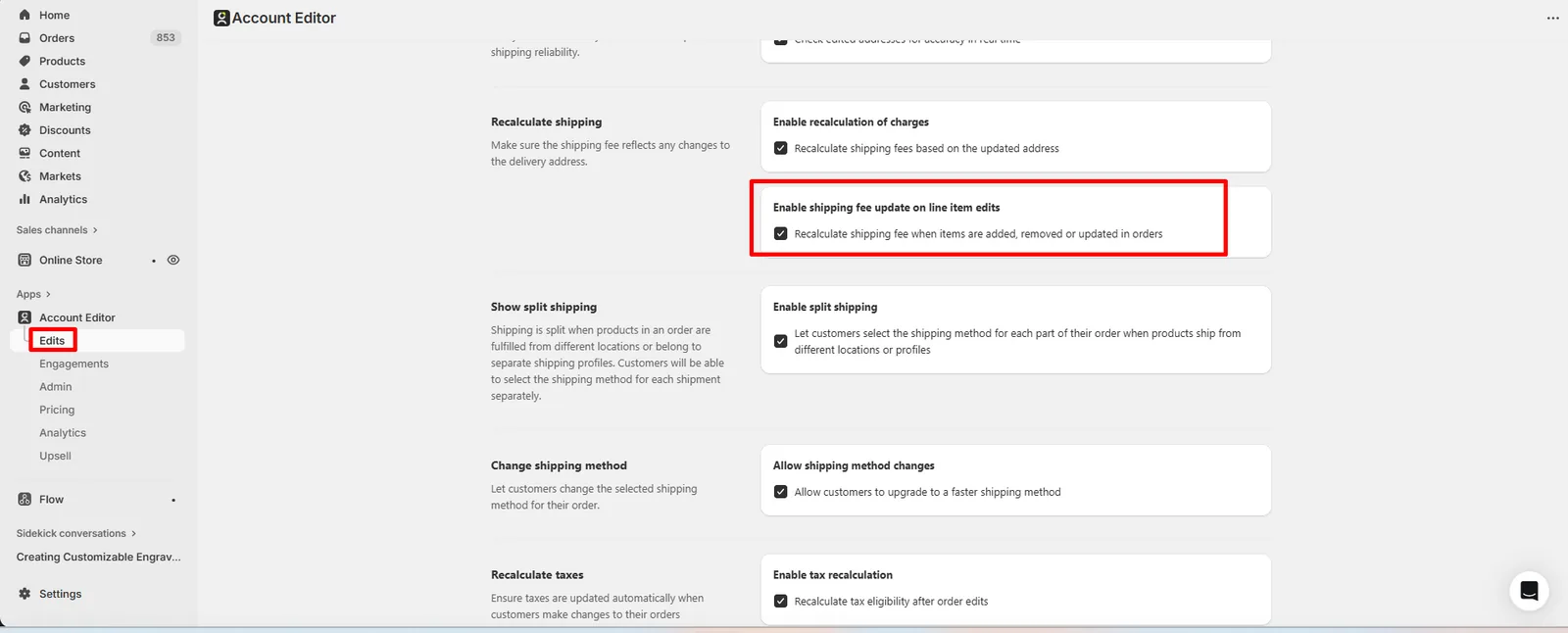
Enable shipping fee update on line item edits
When items in an order are edited:
- Items added
- Items removed
- Quantity changed
- Variant updated
Shipping may change due to:
- Weight changes
- Order value changes
- Shipping profile differences
If this setting is enabled, Shopify recalculates shipping automatically after each edit.
4. Split Shipping (Multi-Location & Shipping Profiles)
Enable split shipping
Split shipping occurs when:
- Products ship from different locations
- Products belong to different shipping profiles
When enabled:
- Orders are split into multiple shipments
- Customers can choose a shipping method for each shipment
- Shipping is calculated separately per shipment
This is common for:
- Multi-warehouse stores
- Heavy + light product combinations
- Region-specific fulfillment
5. How Shipping Is Calculated (Important Clarification)
Shipping calculations are handled entirely by Shopify, based on:
- Shipping zones
- Shipping profiles
- Carrier rates
- Weight and dimensions
- Market rules
- Discounts (free shipping, promotions)
Account Editor:
- Triggers recalculation
- Displays updated options
- Saves the selected shipping method
Account Editor does not:
- Modify rates
- Create custom shipping logic
- Override carrier pricing
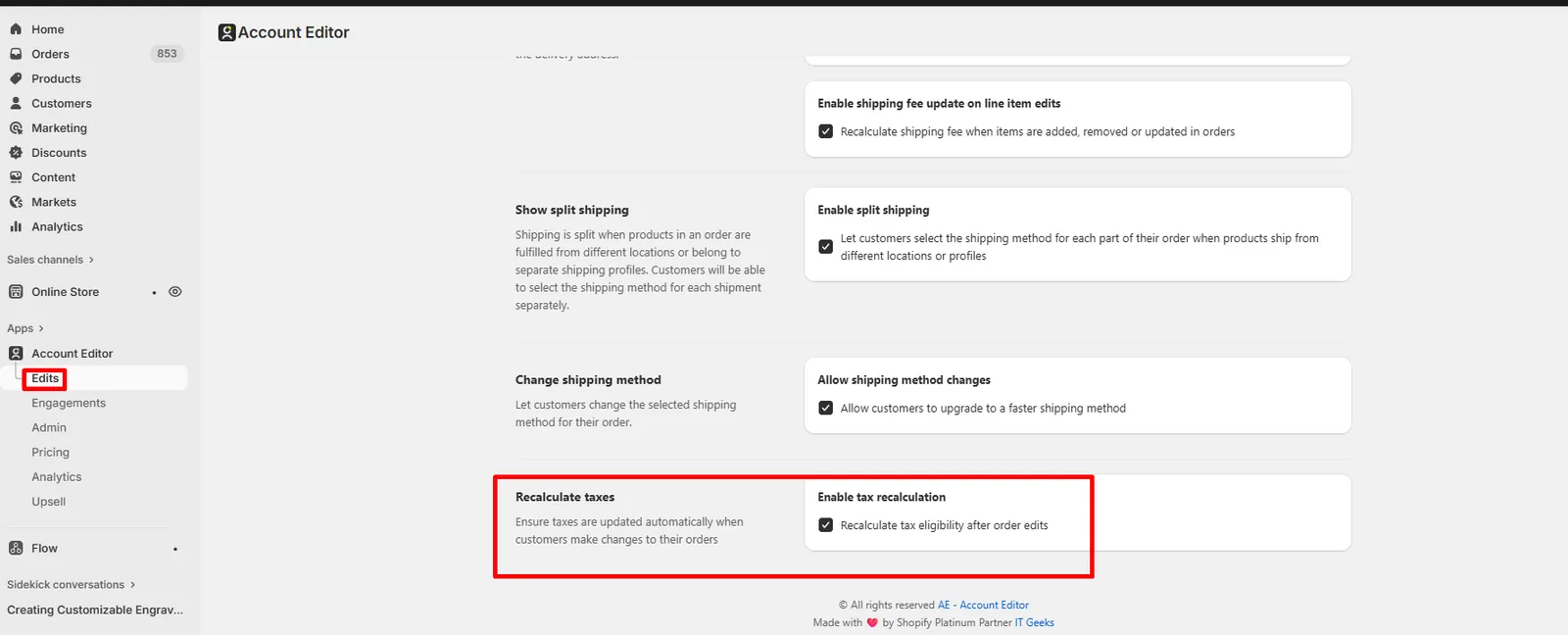
6. How Shipping Edits Affect Taxes
If tax recalculation is enabled:
- Changing shipping method may change taxable amounts
- Address changes may trigger different tax rules
- Shopify recalculates taxes automatically
This ensures compliance with:
- State-based taxes
- Country-based VAT/GST
- Market-specific tax rules
7. Fulfillment, 3PL & Locking Rules
Shipping editing may be restricted if:
- A 3PL or OMS has already synced the order
- Fulfillment workflows lock shipping details
- External systems overwrite shipping changes
In these cases:
- Shipping edits may be disabled
- Changes may not sync externally
See Integration Troubleshooting for detailed guidance.
8. Real Merchant Scenarios
Scenario A — “Customer upgraded to express shipping”
Result: Shipping recalculated → higher fee applied → order updated.
Scenario B — “Shipping became free after item added”
Cause: Free shipping threshold triggered. Result: Expected Shopify behavior.
Scenario C — “Customer sees split shipping options”
Cause: Items ship from different locations. Result: Customer selects shipping per shipment.
Scenario D — “Shipping did not update after edit”
Possible causes:
- Recalculation disabled
- External system overwrote changes
- Shipping locked by fulfillment
9. Recommended Setup (Best Practices)
- Enable shipping method changes
- Enable shipping recalculation
- Enable recalculation on line item edits
- Enable split shipping for multi-location stores
- Enable tax recalculation
- Review 3PL sync timing
10. FAQs
Why did shipping price change after editing the order?
Shopify recalculated shipping based on updated address, items, or method.
Can I prevent shipping changes after checkout?
Yes — disable shipping method changes or recalculation.
Does Account Editor control shipping prices?
No — Shopify controls all shipping calculations.
Why is split shipping shown to customers?
Items ship from different locations or profiles.
11. Common Issues & Fixes
| Issue | Cause | Fix |
|---|---|---|
| Shipping changed unexpectedly | Recalculation enabled | Expected behavior |
| No shipping options shown | Zone mismatch | Check shipping profiles |
| Split shipping confusion | Multiple locations | Educate customer |
| 3PL ignored shipping change | Early sync | Adjust integration timing |