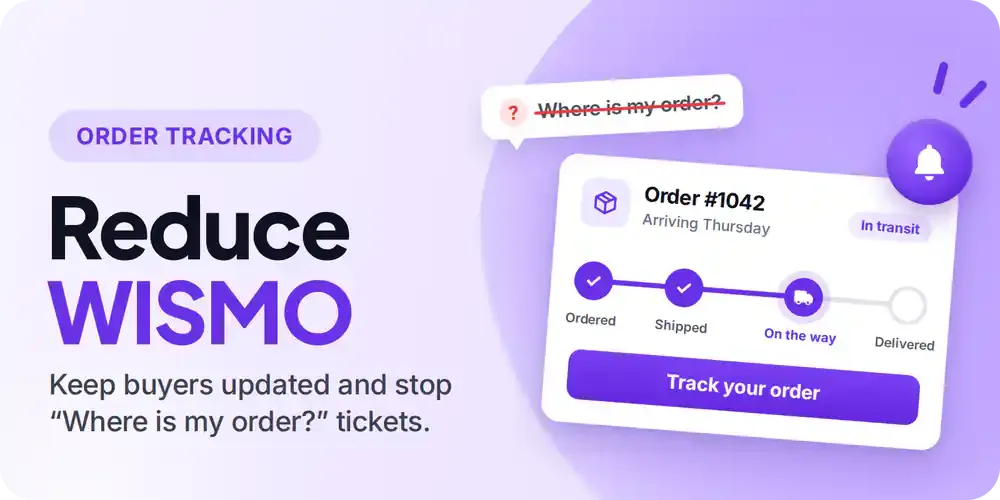
Many "where is my order" tickets happen because customers are sent to carrier tracking pages that don't clearly explain what is happening with their shipment. Fixing that is cheaper than staffing the queue.
Why the Ticket Exists at All
"Hi, where is my order?"
The customer already has the tracking number. You sent it. They may well have clicked it. They're emailing anyway, which tells you the problem isn't missing information. The information they got didn't answer the question.
WISMO, short for where is my order, is consistently one of the largest categories of ecommerce support contact. It resolves nothing and sells nothing, and the answer is almost always that the parcel is on its way.
The usual response is to staff for it. More agents, better macros, a chatbot. That handles the volume without touching the cause.
Account Editor puts tracking on your storefront instead of handing the customer to the carrier, which removes most of the reasons the ticket gets written. 14-day free trial, no developer needed.
The Three Causes, and Which Are Fixable
Most WISMO traces back to one of these.
The carrier page says nothing. The customer clicks through and lands on "no information available for this tracking number." This tends to happen in the gap between a label being created and the first carrier scan, which is often 24 to 72 hours and longer at peak.
The status is written for logistics staff. "Arrived at sort facility." "Departed shipping partner facility." Accurate, and useless for working out when the box arrives. Every carrier words it differently, so a store using three carriers gives customers three vocabularies.
The order shipped in several parcels. Two of four items arrived, one tracking number says Delivered, and from the customer's side something is missing. These are often the tickets that escalate.
There's a fourth category that isn't a communication problem: exceptions, returns to sender, customs holds, wrong-address deliveries. Those need a person. The reason to fix the first three is so your team can find the fourth. Wrong-address deliveries in particular are worth attacking at the source — they are the largest controllable driver of what failed deliveries cost.
Fixing It With Account Editor
Shipment Tracking sits alongside the order editing merchants already run in Account Editor, used across 1,200+ Shopify stores, so the customer manages changes before fulfilment and follows the parcel after it in one place.
One Status System Across Every Carrier
Account Editor converts each carrier's wording into nine consistent statuses: Pending, Label created, In transit, Out for delivery, Delivered, Exception, Returned, Cancelled, Unknown.
The customer sees the same nine words whether the parcel is with UPS, FedEx, USPS, DHL Express, Amazon Logistics, Aramex, Royal Mail or Track123, with a universal reader covering carriers without a dedicated integration. A four-stage progress view shows what's done, where the shipment is, and when each step happened. "Arrived at sort facility" becomes In transit, two stages from the door.
The carrier's original message stays visible underneath, so nothing is hidden from the customer or from your team.
Tracking That Doesn't Report a Delivery That Hasn't Happened
Plenty of tracking setups treat a loaded page as a successful lookup, and a visible "Delivered" step in a progress graphic as a completed delivery. Both produce the worst version of this ticket, where your tracking says delivered and the customer is standing on an empty porch.
Account Editor requires a real carrier status or event before reporting a result. When it can't retrieve one, the customer sees a specific reason rather than a blank page: shipment not found, tracking number required, carrier login required, carrier blocked the lookup, tracking data did not load, or link is not a tracking page.
Those mean different things operationally. Shipment not found usually means it hasn't been scanned yet. Carrier blocked the lookup is a carrier-side issue that often clears itself. Knowing which one happened saves your team a round trip.
Stop sending customers to ups.com. Account Editor is rated 5.0 across 259 reviews on the Shopify App Store, with human support on every plan. Start a 14-day free trial.
A Separate History for Every Parcel
Multi-parcel orders keep an individual tracking history per package. One being delivered doesn't overwrite or hide the others.
This removes the "half my order arrived and tracking says delivered" email, which is a small share of volume and a large share of escalations.
History That Outlasts the Carrier's
Once a shipment is confirmed delivered, its final tracking history stays available even after the carrier drops it from their own site. That's for the chargeback or the "I never received this" claim three weeks later, when the carrier's record has gone.
Alongside that: estimated delivery dates where the carrier supplies them, times in the destination's local timezone where there's enough information to convert reliably, carrier wording recognised in several languages, and no storage of customer addresses with tracking requests.
Four Things to Do This Week
Measure your WISMO rate first. Tag order-status tickets for two weeks and divide by orders shipped. Without a baseline, "it feels quieter" is all you'll have.
Say something about the pre-scan gap. Add a line to your shipping email explaining that the first carrier scan usually takes a day or two. This is cheap and it removes a real share of the early tickets.
Put the tracking link where customers already look. Shipping email, order confirmation, and the order status page in their customer account.
Treat Exception and Returned as a daily work queue. Reaching out before the customer does is worth more than any number of routine tickets prevented.
One more that pays for itself before the parcel moves: catching a bad address at checkout. Validated address correction and self-serve address edits stop the shipment that was always going to generate a WISMO ticket and then a much more expensive problem.
Conclusion
WISMO arrives as tickets, so it gets treated as a staffing problem. Most of those contacts don't need a person. They exist because the tracking experience was on someone else's site, in someone else's vocabulary, and occasionally wrong.
Fix that and what's left is the shipments that genuinely went wrong, which are the ones worth your team's time.
Put tracking back on your own store. 14-day free trial, live in minutes. Install Account Editor on Shopify.