
Automation Use Cases with Account Editor & Shopify Flow
Purpose
Show real, production-grade workflows merchants can deploy immediately.
USE CASE 1
Stop Editing Before Daily Fulfillment Cutoff
Goal: Prevent last-minute edits that disrupt shipping.
Example
Your warehouse cutoff is 5:00 PM. You want editing disabled after 4:30 PM.
Flow Setup
- Trigger: Order Created
- Condition: Order created time ≥ 4:30 PM
- Action: Disallow Customer Edits
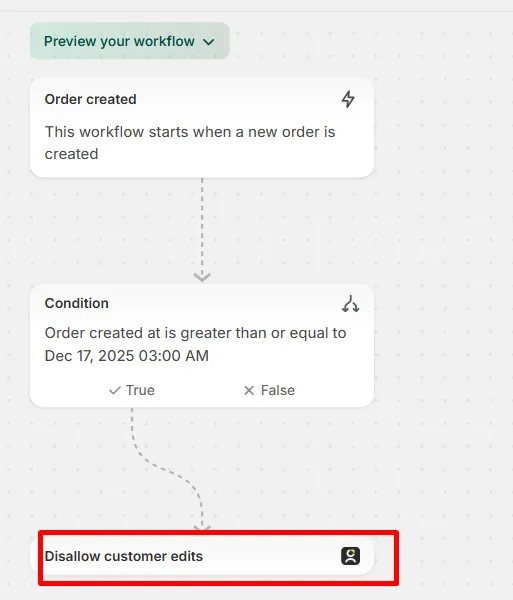
Result: Orders placed late automatically lock — no manual policing.
USE CASE 2
Hold Orders Before Syncing to a 3PL
Goal: Give customers an edit window before fulfillment sync.
Flow Setup
- Trigger: Order Created
- Action 1: Hold Fulfillment Order
- Action 2: Wait (e.g., 30 minutes)
- Action 3: Release Order Hold
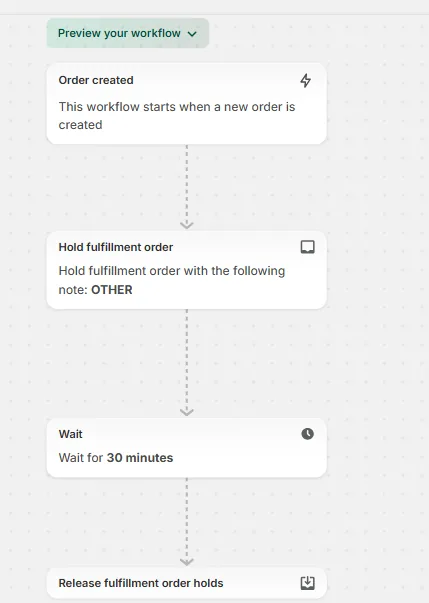
Result: Customers can edit freely, while your 3PL only receives finalized orders.
USE CASE 3
Allow Editing for VIP Customers Only
Goal: Offer premium flexibility without operational risk.
Flow Setup
- Trigger: Order Created
- Condition: Customer tag ≠ VIP
- Action: Disallow Customer Edits
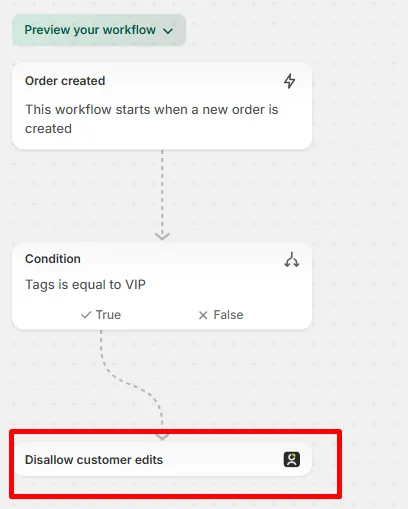
Result: VIPs retain full control. Everyone else is restricted automatically.
USE CASE 4
Auto-Tag High-Value Orders
Goal: Flag priority orders instantly.
Flow Setup
- Trigger: Order Created
- Condition: Order total > $200
- Action: Add Order Tag →
High-Value
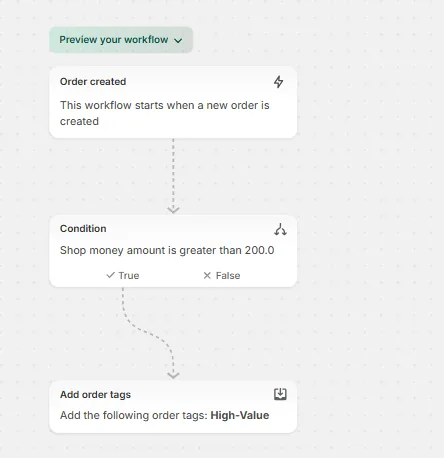
Result: Ops teams instantly identify and fast-track important orders.
USE CASE 5
Auto-Cancel High-Risk Orders
Goal: Reduce fraud exposure automatically.
Flow Setup
- Trigger: Order Risk Analyzed
- Condition: Risk level = High
- Action: Cancel Order
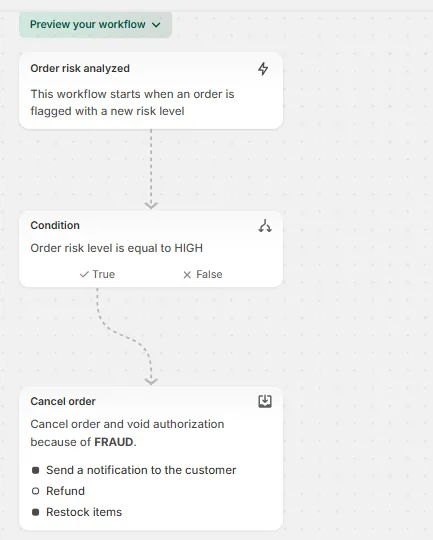
Result: Fraud prevention without manual review delays.