
A/B Testing & Upsell Analytics
Purpose
Answer: “How do I measure and improve upsell performance?”
Why This Matters
Without measurement:
- You guess instead of optimize
- Discounts erode margin silently
- High-performing surfaces go unnoticed
A/B testing and analytics turn upsells into a predictable revenue channel.
How A/B Testing Works
Each test splits traffic into:
- Control (A) → original offer
- Variant (B) → modified version
Traffic is split evenly and locked per session.
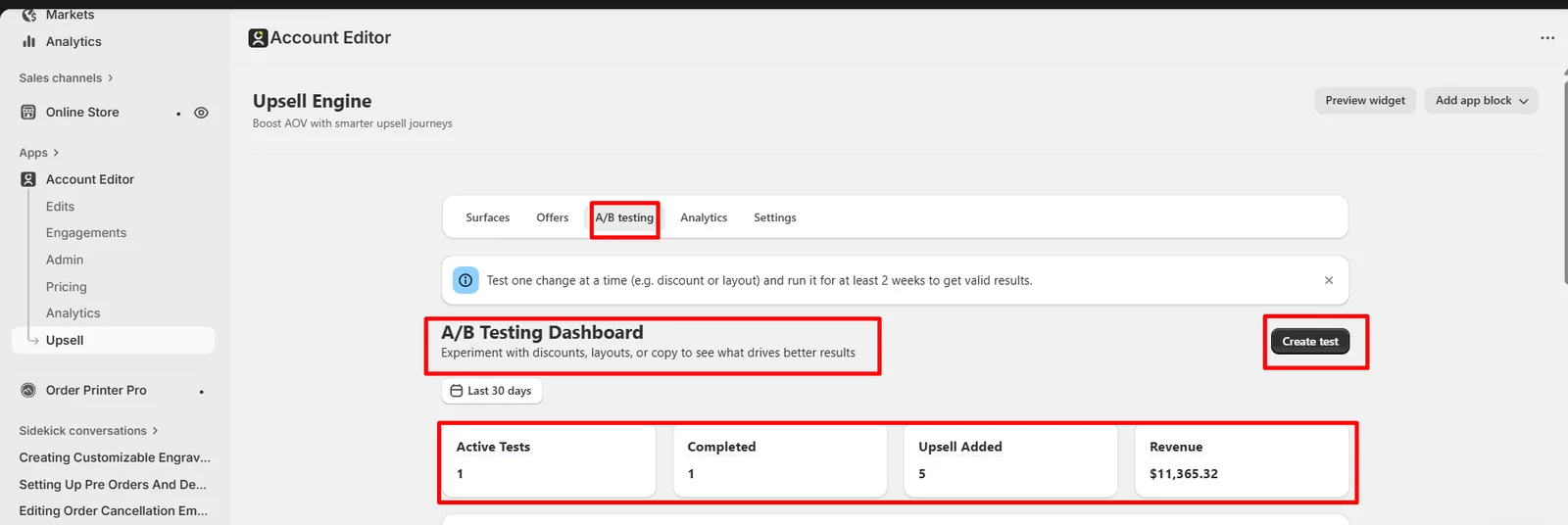
Metrics Tracked
- Views
- Conversions
- Revenue
- Click-through rate
- Average Order Value (AOV)
Account Editor automatically calculates winners once significance is reached.
Creating an A/B Test
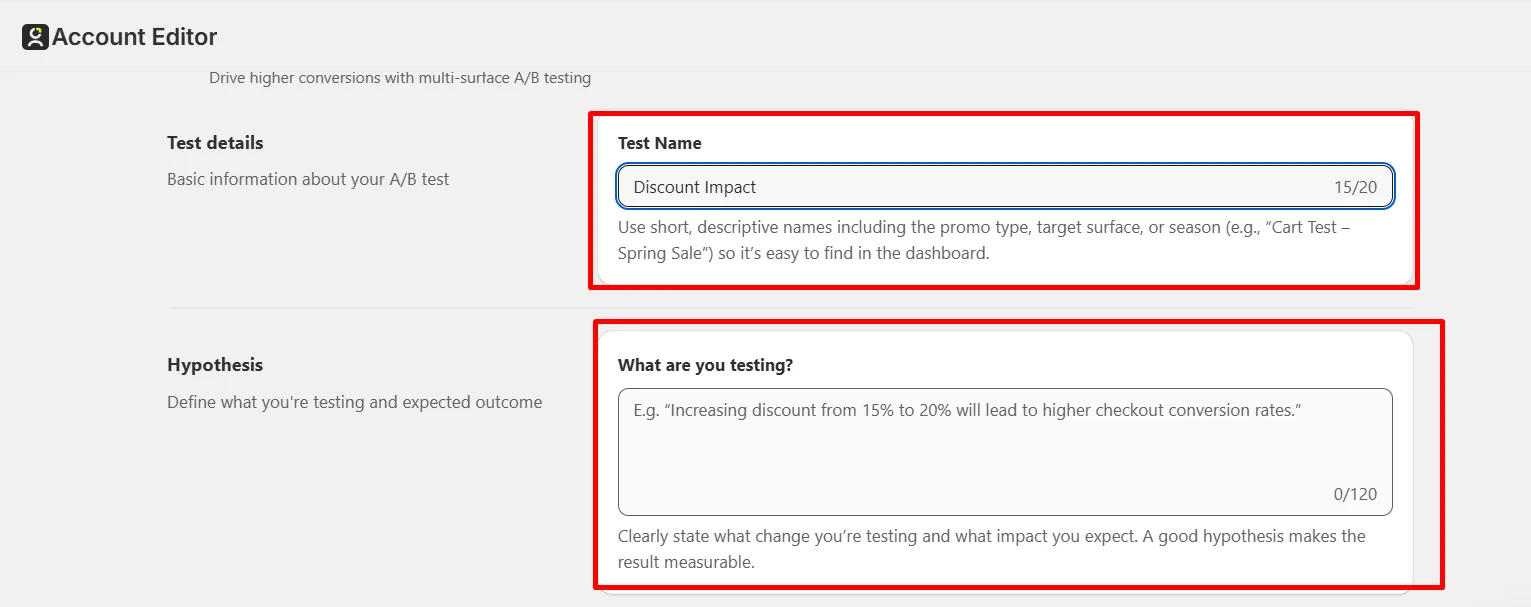
Step 1: Hypothesis
Define one change only. Example: “Increasing discount from 10% to 15% improves conversion.”
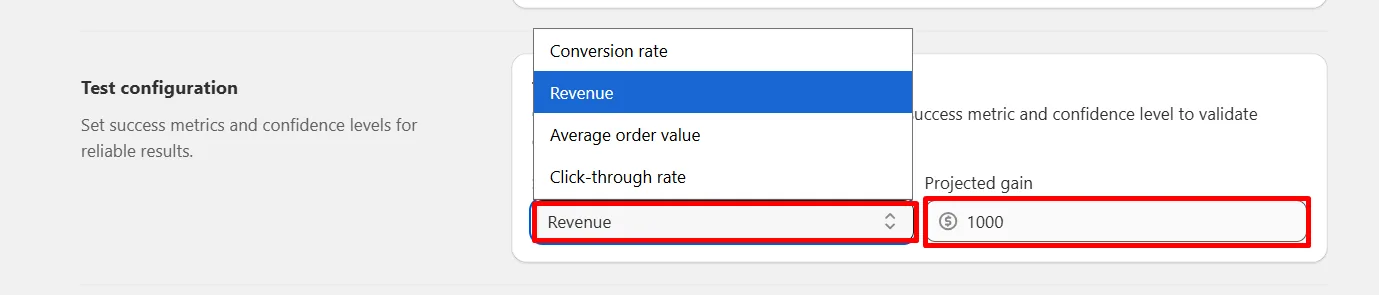
Step 2: Metric Selection
Choose one:
- Conversion rate
- Revenue
- AOV
- Click-through rate
Step 3: Surfaces
Tests run per surface.
Rules:
- One test per surface at a time
- Requires at least two active offers
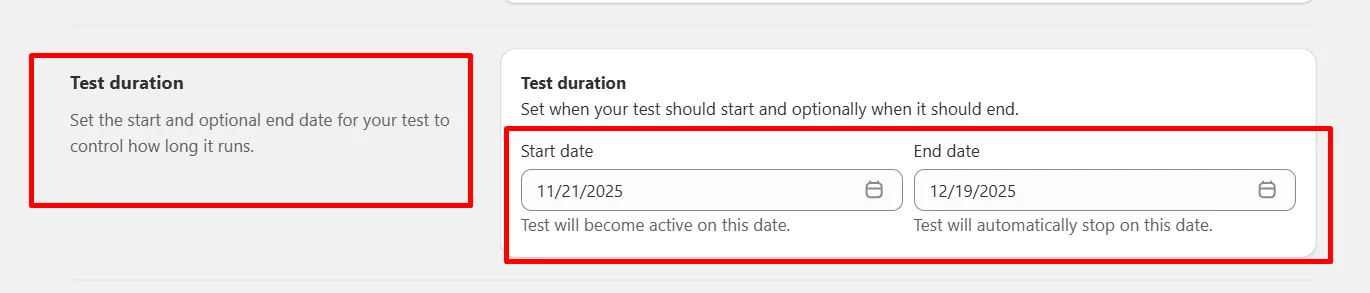
Step 4: Duration
Recommended:
- Minimum 14 days
- Or until statistical significance
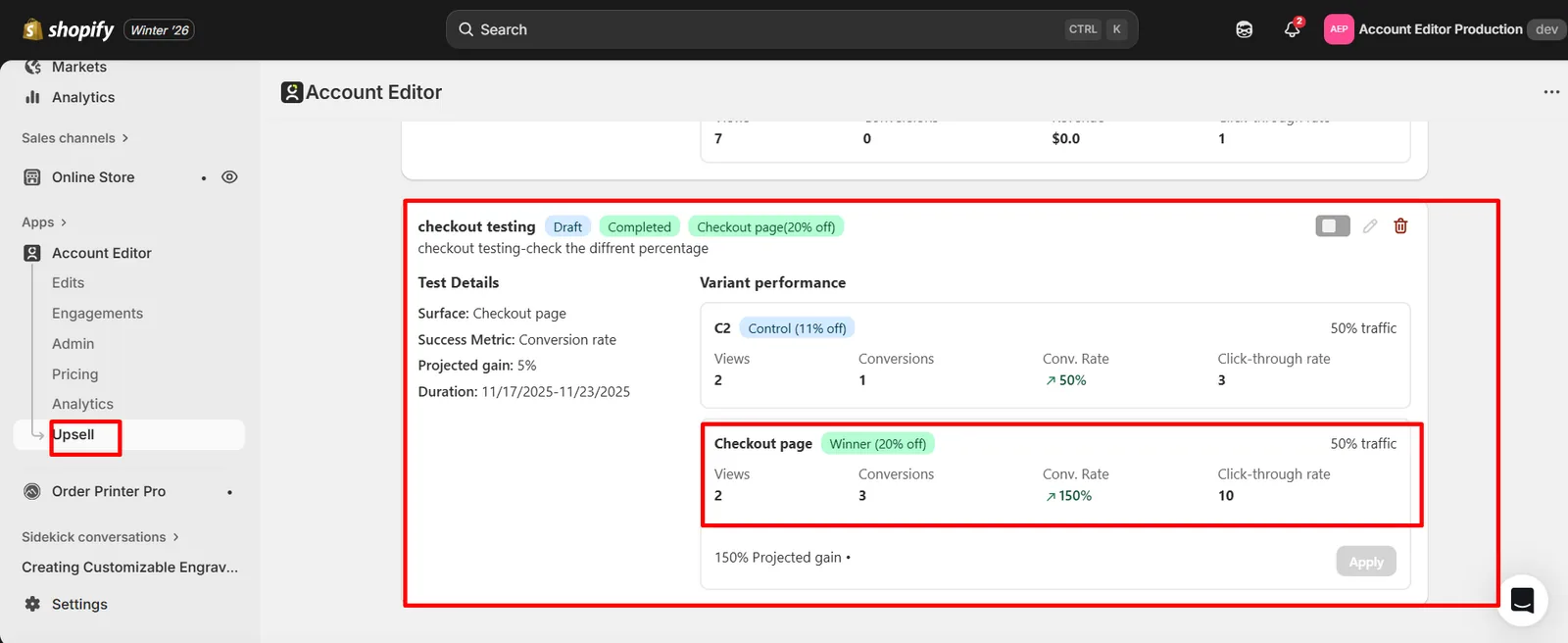
Reading Test Results
You’ll see:
- Control vs Variant
- Winner badge
- Projected gain
Applying the Winner
When ready:
- Click Apply
- Winner goes live
- Loser moves to draft
Analytics automatically update.
Analytics Explained
Key Views
- Total upsell revenue
- Conversion funnel
- Surface performance
- Geography & device split
Real Merchant Scenarios
Scenario A — Discount test wins, AOV drops
Interpretation:
- More conversions, lower margin
Action:
- Test smaller discount next
Scenario B — Checkout surface underperforms
Interpretation:
- Wrong product timing
Action:
- Move offer to Thank You or Order Status page
FAQs
Why does revenue show 0? No accepted upsells during the selected date range.
Can I run multiple tests? Yes — one per surface.
Common Issues & Fixes
| Issue | Cause | Fix |
|---|---|---|
| Test not starting | Inactive status | Activate test |
| Too little traffic | Narrow conditions | Broaden targeting |
| Confounding results | Multiple changes | Test one variable only |