A cancelled Black Friday order costs more than a cancelled order in March. You paid to acquire the customer at peak ad prices, you gave a discount to close the sale, and the card processor kept its fee. Then a person in your support queue has to spend minutes undoing the order at the busiest time of the year.
Most guides to preventing cancellations treat them as one problem with one cure, which is usually letting the customer edit the order. That works for a share of them. Black Friday adds causes that a normal month doesn't have. Stock sells out mid-promotion, a code behaves in a way you didn't intend, a fraud flag lands on a real customer, and a shopper sees a better price somewhere else a day after buying.
This guide sorts Black Friday cancellations by who starts them and why. For each source it gives a fix, then covers the cancel flow settings for peak, the offers worth making when everything is already on sale and how to run the cancellations that remain. It's written for BFCM 2026, where Black Friday falls on November 27 and Cyber Monday on November 30.
Why Black Friday Cancellations Behave Differently
Shopify reported that merchants sold $14.6 billion over BFCM 2025, with 81 million buyers and a peak of $5.1 million per minute on Black Friday (Shopify, December 2025). Orders arrive in bursts, the warehouse moves fast and stock levels change by the minute. Three conditions follow from that, and each one shapes cancellations.
Time compresses. The window between payment and picking is shorter, so a customer who spots a mistake has less time to fix it, and a store that spots its own mistake has less time to catch it.
Prices are everywhere. Adobe reported peak discounts on Cyber Monday 2025 of 31% for electronics, 28% for toys and 25% for apparel, and said persistent deals during Cyber Week pushed shoppers to buy earlier (Adobe, December 2025). A shopper who buys on Thursday can see a lower price on Saturday. Whether they cancel depends on what your policy lets them do.
Everything is rushed on your side too. Promotions go live fast, inventory feeds lag and fraud screening sees an unusual volume of new customers. Some cancellations will be your own.
Five sources of BFCM cancellations
Source | Who starts it | Typical trigger | Best fix |
|---|---|---|---|
Inventory and oversells | Store | Item sells past available stock, or 3PL stock count is out of sync | Safety buffers, sync checks, a backorder policy |
Promo and pricing errors | Store or customer | A code stacks unexpectedly, a price is wrong | Test every code, publish stacking rules |
Fraud flags | Store | A real customer trips a risk rule | A verification routine, not auto-cancel |
Fixable mistakes | Customer | Wrong address, size, quantity or item | Edit window with validation |
Price regret and delivery worry | Customer | Better price seen elsewhere, unclear arrival date | Price policy, cutoff messaging, retention offers |
Our guide to why customers cancel orders covers the everyday reasons in depth. This guide focuses on the table's first and last rows, because those are the ones peak season changes.
What One Cancelled Black Friday Order Costs
You can put a rough number on this with figures from your own store. The inputs are the cancellation rate, order value and the fee you don't get back.
Shopify's help center says credit card transaction fees aren't returned when you refund an order (Shopify Help Center). So every cancelled order costs you the processing fee, besides the lost sale.
Here's an illustrative example, not a benchmark. A store takes 4,000 orders over the BFCM window at a $90 average order value. It assumes a fee of 3% plus $0.30 per order, or $3.00 on a $90 order. The table compares three cancellation rates, and the last columns show what happens if fixes prevent one cancellation in five.
Cancellation rate | Cancelled orders | Revenue lost | Fees not recovered | Orders saved at 20% | Revenue kept | Contribution kept at 40% margin |
|---|---|---|---|---|---|---|
3% | 120 | $10,800 | $360 | 24 | $2,160 | $864 |
5% | 200 | $18,000 | $600 | 40 | $3,600 | $1,440 |
7% | 280 | $25,200 | $840 | 56 | $5,040 | $2,016 |
If a month stays under 5,000 orders, Account Editor's $99 plan covers it, so the net contribution kept in the three rows is $765, $1,341 and $1,917.
The calculation leaves out three costs: the support time to process each cancellation, the ad spend that brought the customer in, and the customer who doesn't come back. All three push the real figure higher. It also shows why a cancellation rate under a few percent still matters: the fee and the acquisition cost are gone whether the order ships or not.
Cancellations You Start Yourself: Oversells, Promo Errors and Fraud Flags
Merchant-initiated cancellations don't appear in guides about customer self-service, yet they can damage trust more than any customer-side cancel. A shopper who gets an "your order was cancelled" email on Black Friday afternoon rarely gives you a second chance.
Oversells
Shopify's help center says an item is out of stock when tracked inventory is at zero or below, and that customers can't buy it by default. You can allow overselling with the "Continue selling when out of stock" setting, and that setting does not apply to POS orders (Shopify Help Center). With more than one location, a product still shows as out of stock online if the location that fulfills online orders is at zero, even when another location has stock.
Those rules are clear. What they leave out is timing: the page doesn't say how long checkout holds stock for a customer who is mid-purchase. Test that with your own doorbuster items rather than assuming a hold exists.
Five habits keep oversells down:
Set a safety buffer on doorbusters. Report fewer units than you hold, so a sync delay doesn't sell stock you can't ship.
Check 3PL and ERP sync timing. If your warehouse feeds counts back to Shopify every 15 minutes, a fast sale can outrun it.
Decide before the sale whether you'll backorder. Continue-selling is a choice with consequences, and it brings in the delay rules covered later in this guide.
Watch the limited items hourly. Assign one person to the five or ten products most likely to sell out.
Write the apology template now. If you must cancel for stock, a fast, plain message with an alternative or a goodwill offer is worth more than a late, formal one.
Promo and pricing errors
A code that stacks with an automatic discount, a price typed with a missing digit or a collection excluded by mistake can generate hundreds of orders at a price you can't honor. Whether you must honor them depends on your terms and the law where you sell, so decide your policy with that in mind.
Prevention is cheaper than the decision. Before the sale, place a test order for every code and every automatic discount, alone and in combination, on a store copy or in a hidden collection. Record the expected total next to the actual total. Publish a short stacking rule on your promotion page so customers don't discover the limits themselves.
Fraud flags on real customers
Shopify's fraud analysis gives a low, medium or high recommendation based on the likelihood of a fraud-related chargeback, and highlights medium and high-risk orders in the admin and in staff emails. The help center says flagged orders stay in the admin for review, that you should wait for analysis to finish before fulfilling, and that fulfilling high-risk orders can lead to more chargebacks (Shopify Help Center). It also notes you can use manual payment capture to gain time to investigate before the payment is captured.
At peak, the risk is cancelling real customers. A gift buyer shipping to a different address than the billing address looks unusual and is perfectly normal in November. Build a verification routine instead of a reflex:
Review medium and high-risk orders in a daily block, so none waits more than a few hours.
Contact the customer by email or phone to confirm before you cancel, and give a clear deadline.
Keep the cancellation for orders that fail verification or show several independent signals, since the help center warns against relying on a single indicator.
Fix Mistakes Before They Become Cancellations
Customer mistakes are the most preventable group. A wrong address, a size that needs to change or a forgotten item all lead to a cancellation request when the customer has no other option. An edit window gives them one.
We've compared the trade-offs in our guide to order editing versus order cancellation. Here we focus on how to set the window for Black Friday.
Match the window to your peak pick schedule
During BFCM the warehouse often moves faster than in a normal week, and a window that's safe in October can outlast the pick in November. A fixed window of 30 minutes is easy to explain. A rule-based window follows your actual operations: fulfillment days, a daily cutoff with a buffer, paused picking hours and the warehouse timezone.
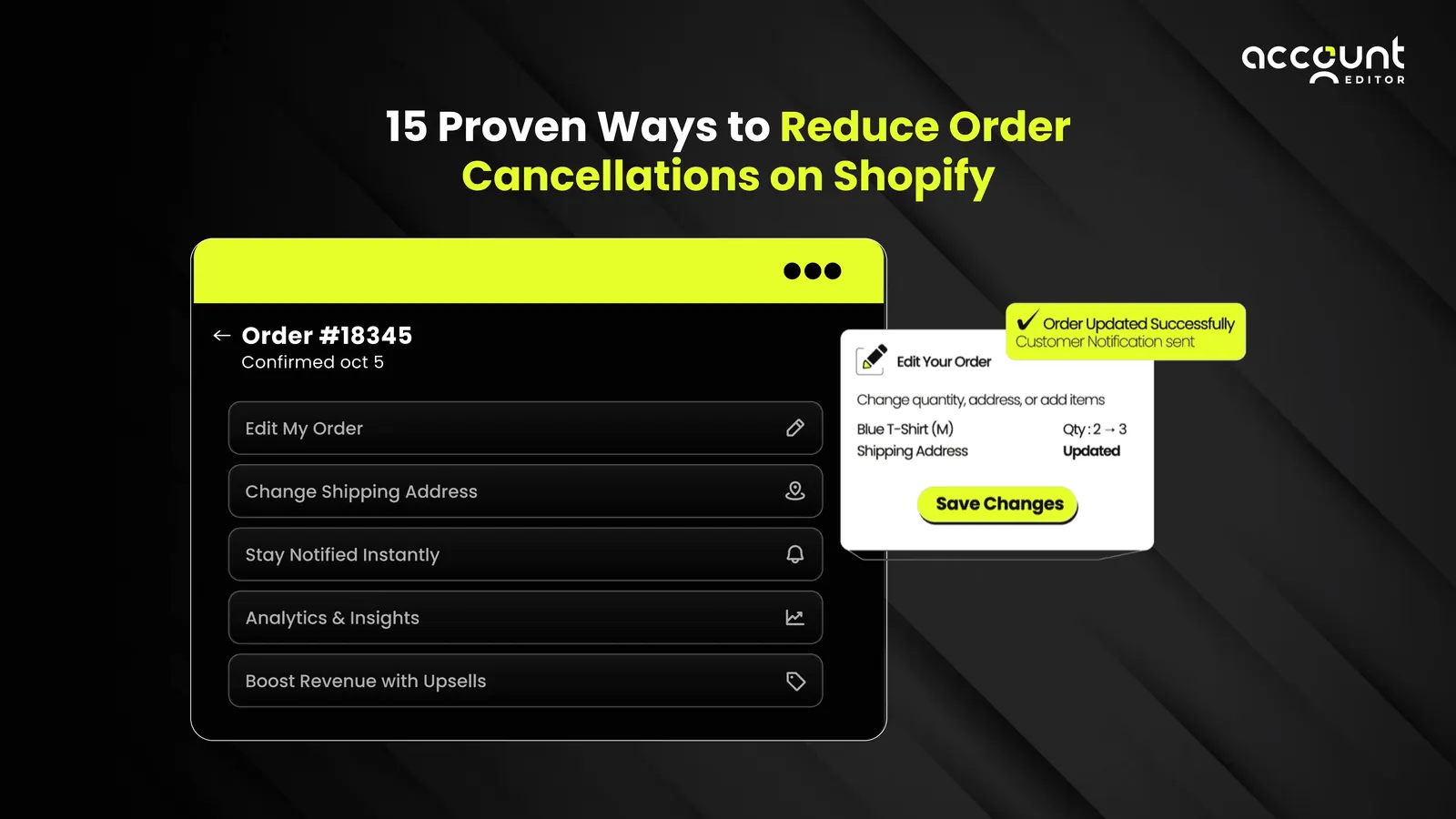
Account Editor's Smart Window handles the second case. Customers see a countdown on their order page, and the edit options disappear once the window closes or the order is fulfilled. That keeps "why can't I edit?" emails from appearing at all.
Validate addresses on edit
Gift buyers and people shipping to a new address make most address changes in November. A customer who fixes a typo and introduces another has swapped one problem for a missed delivery and a likely cancellation. Address validation checks the address on edit and suggests verified addresses as the customer types, and you choose which fields are editable.
Confirm the warehouse reads the edit
An edit changes the order in Shopify. A pull-based 3PL or OMS needs an import delay so the window closes first, and a push-based system needs a held fulfillment trigger. Account Editor documents this and has setup guides for common 3PL and OMS integrations. Place a test order, edit it inside the window and confirm the label shows the change before the sale begins.
Turn wrong-address and wrong-size cancels into edits. Give customers a countdown and a validated edit form, with a window that follows your Black Friday pick schedule.
Install on Shopify → · See self-serve edits →
The Deal-Driven Cancel: "I Found a Better Price"
On Black Friday some customers cancel because they saw a deeper discount somewhere else. Account Editor's default cancellation reasons include "Found a better price" and "Shipping cost too high", and the "Why customers cancel" report shows how often each appears in your store.
You have four policy options. Choose one before the sale and publish it.
Policy | How it works | Upside | Risk |
|---|---|---|---|
No price adjustment | Price at purchase stands; cancellations follow your standard rules | Simple, protects margin | Some price-driven cancels go through |
Price adjustment window | You refund the difference if the price drops within a stated number of days | Removes a reason to cancel and reorder | Costs margin and needs process |
Store credit on cancel | Refund as credit, not cash | Keeps value in your store | Some customers resent it |
Retention offer on cancel | Show an incentive when the customer starts to cancel | Can save the order | Costs margin on a sale you'd already made |
None of these is right for every store. A brand with deep margins and loyal buyers may prefer a price adjustment window. A thin-margin store may prefer no adjustment and store credit. Pick based on your contribution margin and publish the rule on the promotion page, so a cancellation request never begins as an argument.
Read the reasons day by day
If "Found a better price" climbs on Saturday, a competitor changed a price or a marketplace did. If "Shipping cost too high" climbs on Black Friday, the cause is at checkout, and no cancel flow will fix it. Turning on the reason prompt gives you that signal while the sale is still running.
Shipping-Date Anxiety and the Delay Rule
Customers cancel when they can't tell whether a gift will arrive on time. Clear cutoff messaging prevents most of it. Put the last order date for holiday delivery on the announcement bar, the cart and the order confirmation, and check the dates against current carrier pages.
If you can't ship on time, the law has a say
In the United States, the FTC's Mail Order Rule covers merchandise ordered online. If you can't ship within the time you promised, or within 30 days when you stated no time, you must send a delay notice. The notice must give a revised ship date or say none is known. It must also explain the customer's right to cancel for a prompt refund and provide a free way to cancel (Federal Trade Commission, accessed October 2026).
The rule has details that matter during a backorder. Silence counts as consent only when the revised date is 30 days or less away. When the new date is further out, or none is given, the order is treated as cancelled unless the customer consents. Refunds are due within 7 working days for some payment types, and within one billing cycle when the seller issues the credit itself.
This is a summary and isn't legal advice, and the rules in other countries differ. If you plan to oversell or backorder during BFCM, have the delay notice written and reviewed before the sale.
A delay notice template
This is illustrative wording to adapt, not tested legal text.
Hi [name], your order [number] is taking longer than we planned because [plain reason]. Our new estimated ship date is [date]. If you'd like to keep your order, you don't need to do anything. If you'd rather cancel for a full refund, use this link or reply to this email: [free cancel link]. We're sorry for the delay.
Design the Cancel Flow for Peak
Some cancellations will happen. Your goal is to make them cheap, fast and safe. A self-serve cancel flow gets the customer out of your support queue and lets you apply rules automatically. Account Editor's cancellation settings cover the decisions below.
Setting | Options | Suggested for Black Friday |
|---|---|---|
Customer cancellation | On or off | On for unfulfilled orders, since an easy cancel is cheaper than a dispute |
Approval | Automatic, or require approval | Approval with a hold if you pick fast, so an order doesn't ship while a request waits |
Hold order until reviewed | On in approval mode | On, for the same reason |
Refund route | Original method, store credit, customer's choice, Shopify Flow | Match your policy; store credit keeps value in the store |
Restocking fee | Percentage or fixed amount | Use only if published; consider it for abuse-prone items |
Allow or block by tag | Order or customer tags | Block wholesale or custom orders from self-serve cancel |
Reasons | Default list, editable | On, so you learn what drives cancels |
Cancellation applies to the whole order, and customers can't cancel a partially fulfilled one. Orders that have shipped show the customer contact options instead. Make sure your confirmation email and policy page say that, so shoppers know the deadline before they need it.
Approval mode needs a person on shift
Approval mode with a hold protects you from shipping a cancelled order, and it creates a queue. Assign someone to clear it every hour or two during the sale, and decide in advance which cancellations to approve automatically by tag.
Retention Offers When Everything Is Already on Sale
When a customer starts to cancel, you can show an offer: a gift card, free shipping, a free item, a discount or store credit. An offer that works in July can lose money on Black Friday, because the order already carries a promotional price.
Run the contribution check
For each offer, work out what you keep if the customer accepts. Start with the order's contribution after the sale discount, subtract the cost of the offer and compare it with the cancelled order, which earns nothing and still cost you a payment fee.
Here's an illustrative example. An order of $90 at a 40% margin contributes $36 before fees. A 10% offer costs $9, leaving $27. A free-shipping offer, if shipping costs you $5, leaves $31. A cancelled order contributes $0 and loses roughly $3 in unrecovered fees. Both offers beat the cancel, and the free-shipping offer beats the discount.
Choose offers that suit a discounted cart
Offer | Margin effect | When it fits |
|---|---|---|
Free shipping | Cost of shipping only | Shipping-cost cancels, light items |
Store credit | No cash out now | Price-regret cancels, loyal buyers |
Free item | Cost of goods of a low-cost item | High-margin accessories |
Discount | Percentage of the order | Last resort, with a minimum order amount |
Gift card | Face value, usable later | Higher-value orders, with a minimum |
Use conditions to limit who sees an offer. A minimum order amount keeps small orders from getting an incentive that costs more than they earn. A usage limit per customer prevents repeat claims. Set the offers up in the weeks before the sale and check each one with a test order, so the final price and the refund behave as you expect.
Save the sale without giving away the margin. Show a free-shipping or store-credit offer when a customer starts to cancel, with minimum order rules and a reasons report.
Install on Shopify → · See cancellation offers →
When You Still Have to Cancel: Run It Cleanly
Some cancellations are the right outcome, such as a failed fraud check, an item you truly can't supply or a customer who insists. How you process them decides whether they cost a few minutes or a few hours.
Know what Shopify does and doesn't allow
Shopify's cancellation help page sets out the rules:
You can't cancel a partially fulfilled order unless you cancel the fulfillment first.
Orders handled by a third-party fulfillment service must be cancelled through that service as well.
Canceled items are restocked by default, and you can untick restocking, for example when the item is damaged or unavailable.
Refund options are the original payment method, store credit or "later".
Customers are notified by default, and you can turn the notification off.
Be careful with bulk cancellation
Shopify lets you cancel up to 250 orders at once. The help center warns that the refund prompt might not appear, and that in that case all cancelled orders are refunded immediately, including orders that were already refunded, which can cause duplicate refunds. If you need to choose "later" or to cancel orders that were already refunded, cancel them one at a time.
During a promotion error, the temptation is to select every affected order and cancel in one go. Check a sample of the batch for prior refunds first, and do large batches in the quiet hours when you can review the results.
Tell the customer quickly
A cancelled order with no explanation turns into a support ticket and, sometimes, a dispute. Send the reason, the refund method and the expected timing in plain words. Our BFCM customer service readiness plan has reply templates for the follow-up contacts that remain.
Measure Cancellations by Cause and by Day
Tag every cancellation with a cause when it happens. Four data points matter, and each should be split by phase of the sale.
Metric | What it shows | Act on it when |
|---|---|---|
Cancellation rate by cause | Which source is growing | One cause jumps in a day |
Save rate | Share of cancel attempts that ended in an edit or accepted offer | It falls after you change a rule |
Time from request to resolution | Queue health | Approvals wait longer than your hold |
Refund processing time | Customer experience after cancel | Customers write in to ask where the money is |
Our method for tagging and counting contacts is in the guide to reducing customer service tickets on Shopify, and it works for cancellations too. Compare phases rather than totals. A cancel rate that's high on Thursday night and low on Sunday tells a different story than the same average, and the story points at different fixes. After the sale, read the reasons report with your tag data. Cancellation reasons that cluster around shipping cost, price or incorrect orders show what to change before next year.
A Five-Week Prevention Timeline
Black Friday 2026 is November 27, which leaves about five weeks from today. Compress the early steps if you're later, and protect the test and freeze.
When | Actions |
|---|---|
Now to Nov 1 | Tag last year's cancellations by cause, or the last 30 days. Choose a price policy. Draft the delay notice and apology template. |
Nov 2 to 8 | Set the edit window and address validation. Set cancel flow rules, refund route and tags. Run the contribution check on retention offers. |
Nov 9 to 15 | Test every code and automatic discount, alone and combined. Set safety buffers on doorbusters. Confirm 3PL stock sync timing. |
Nov 16 to 22 | Place test orders: edit, cancel, accept an offer, then follow each through to the warehouse system. Fix what breaks. |
Nov 23 to 26 | Freeze settings. Publish the promotion rules and cutoff dates. Brief the team on the fraud verification routine and the approval queue. |
Nov 27 to Dec 3 | Run daily checks: cancellations by cause, approval queue, limited-stock items. Fix problems and avoid new experiments. |
After | Review by cause and phase. Keep what worked and write down the numbers. |
For the revenue side of the same weeks, see our guide to increasing Shopify AOV after checkout during BFCM.
Run the five-week plan with the settings already built. Edit windows, cancel rules, offers and a reasons report in one app, with a 14-day free trial on any plan.
Install on Shopify → · See pricing →
Where Account Editor Fits, and Where It Doesn't
Account Editor handles the customer-side layers: edit windows that follow your fulfillment schedule, address validation, cancellation rules with approval and hold, offers on cancel, refund routing, tag rules and a "Why customers cancel" report. Every feature and unlimited edits are on every plan, priced at $39, $99, $179 and $249 a month by order volume.
It has limits worth knowing. It has no free plan, only a 14-day trial, and pricing follows order volume. Cancellation applies to a whole order and not to single items, and partially fulfilled orders can't be cancelled through it. It doesn't prevent merchant-side cancellations, so oversells, code errors and fraud checks need the inventory, testing and verification habits described above. Edits reach a 3PL or OMS only if you set the import delay or fulfillment hold correctly.
Final Verdict
Black Friday cancellations aren't one problem. Some start with your own stock and pricing, some with a fraud rule that flags a real customer, some with a fixable mistake and some with a better price seen elsewhere. A single tool addresses one of those sources, and a plan addresses all of them.
Start with the ones you control, because no customer feature can fix them. Then give customers an edit window sized to your warehouse, publish a price and delay policy, and design the cancel flow so the remaining cancellations are quick and safe. Measure by cause and by day, and keep the offers that earn more than the cancel would have.
If mistakes and second thoughts make up a large share of your cancellations, Account Editor covers the customer side with edit windows, validated addresses and cancel rules with offers. Test it on the 14-day trial before the freeze, and confirm the warehouse reads every edit.
Get your cancel flow ready before the freeze. Start a 14-day free trial and set your edit window, cancellation rules and offers on real test orders.